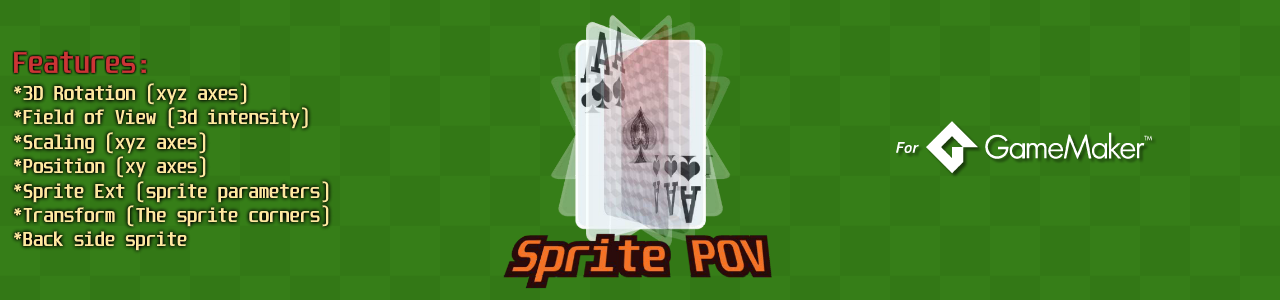
Sprite POV - 3D Proyection
A downloadable asset pack
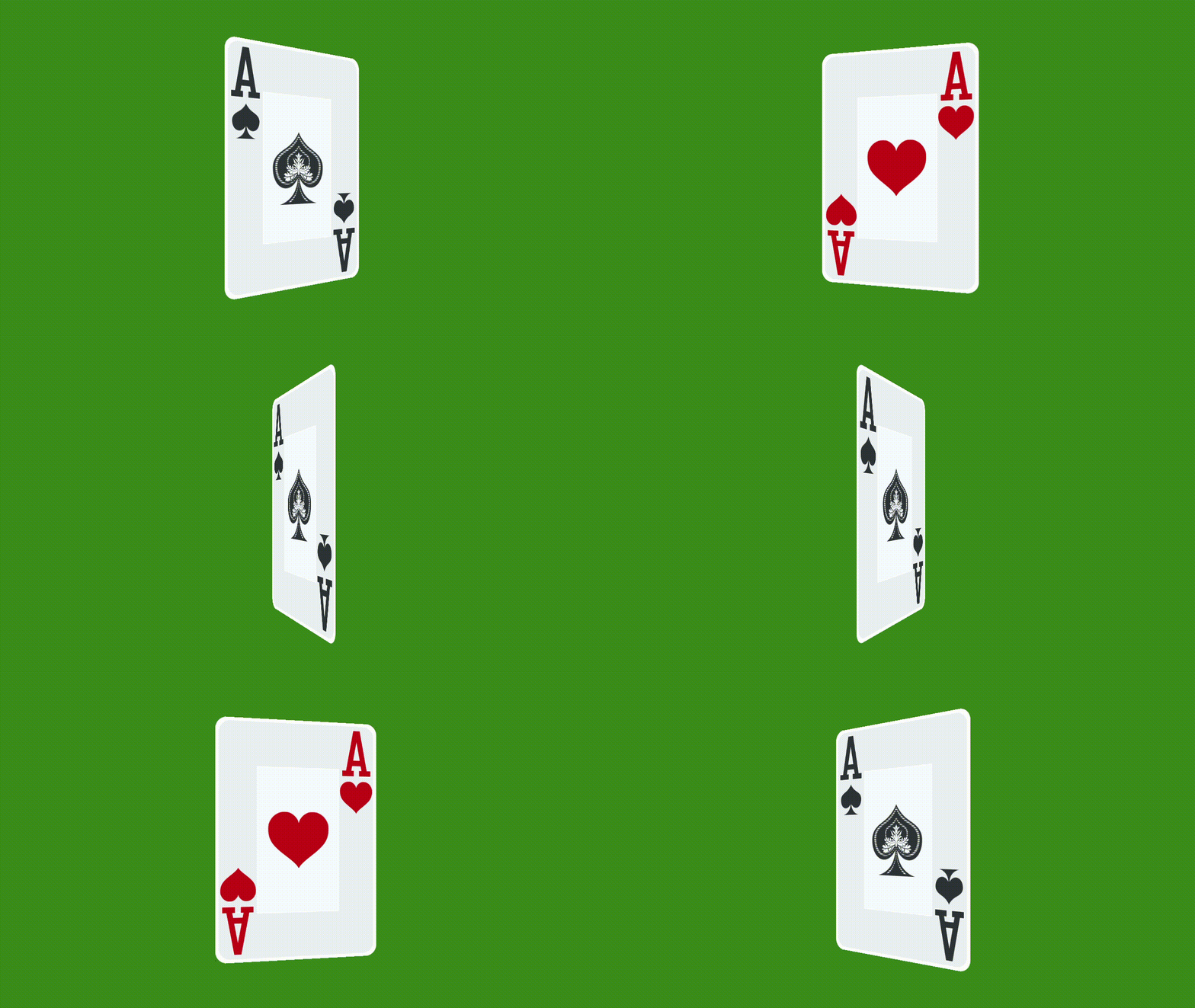
Does the flipping effect on your cards look fake?
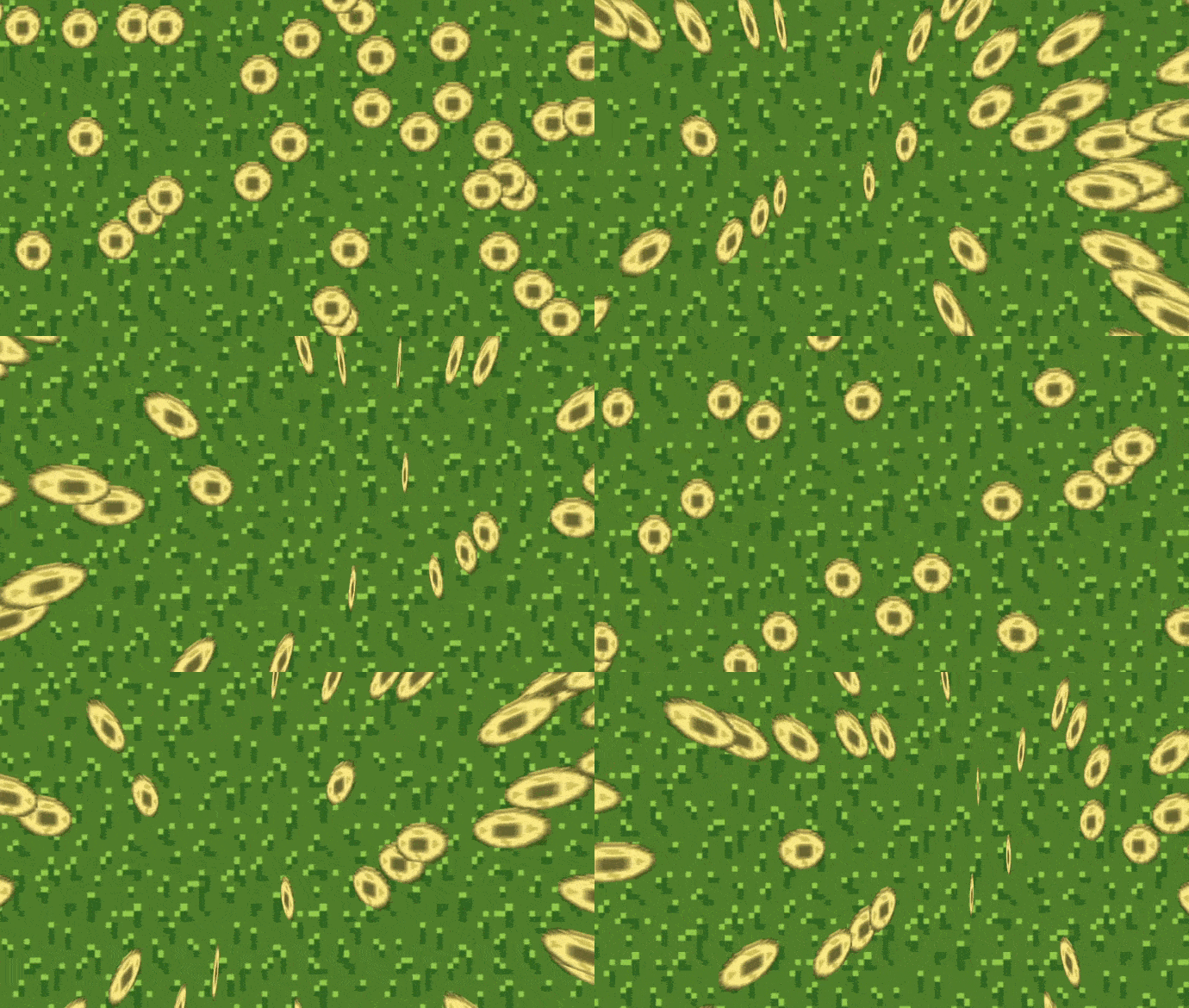
Say goodbye to the xscale and yscale effect and say hello to the true 3D effect with Sprite POV, just a few lines of code are all it takes to make it look real.
The best part is that you don't need to convert your entire project to a 3D environment; Sprite POV just affects the sprite you are drawing.
🔥 Features
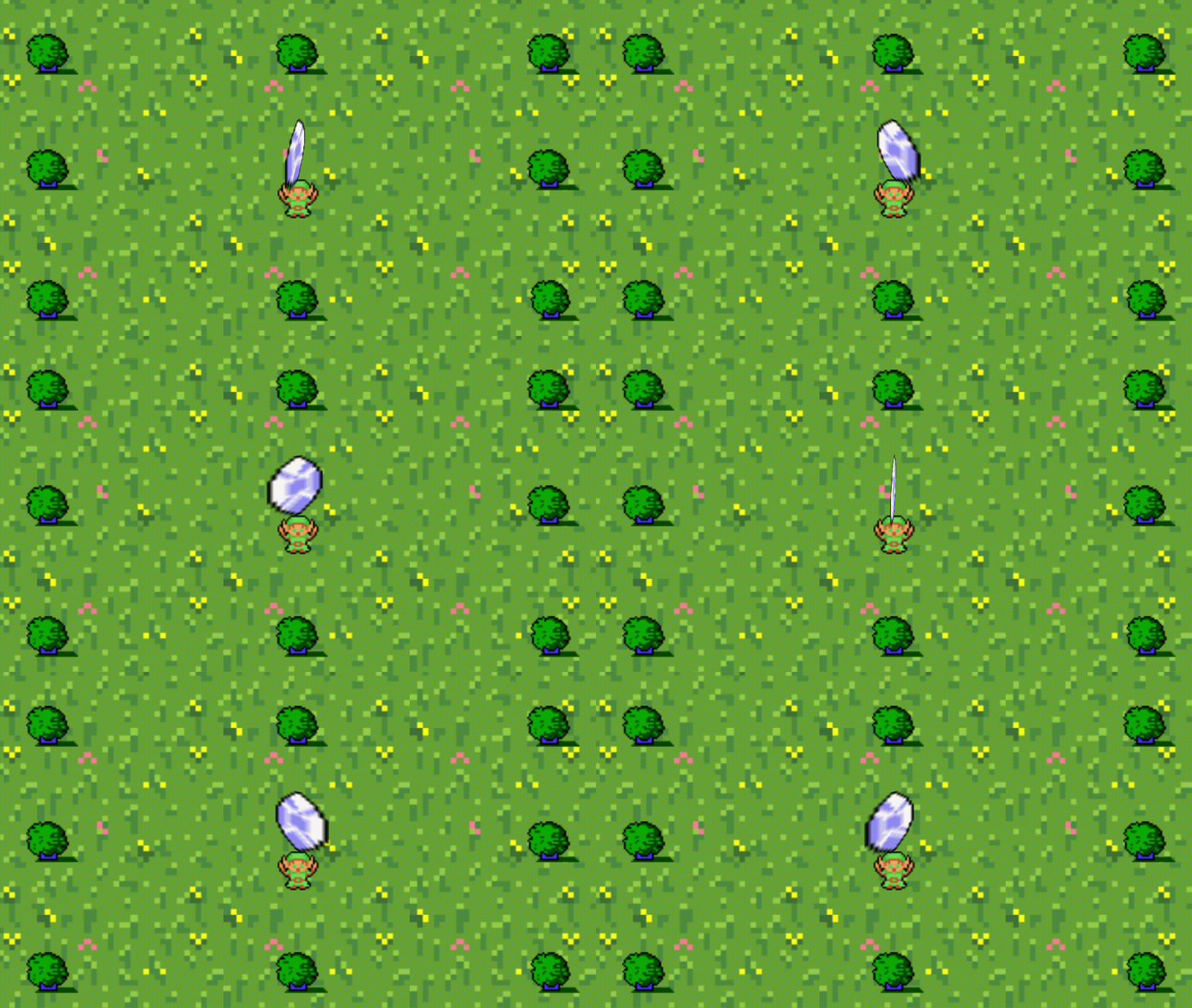
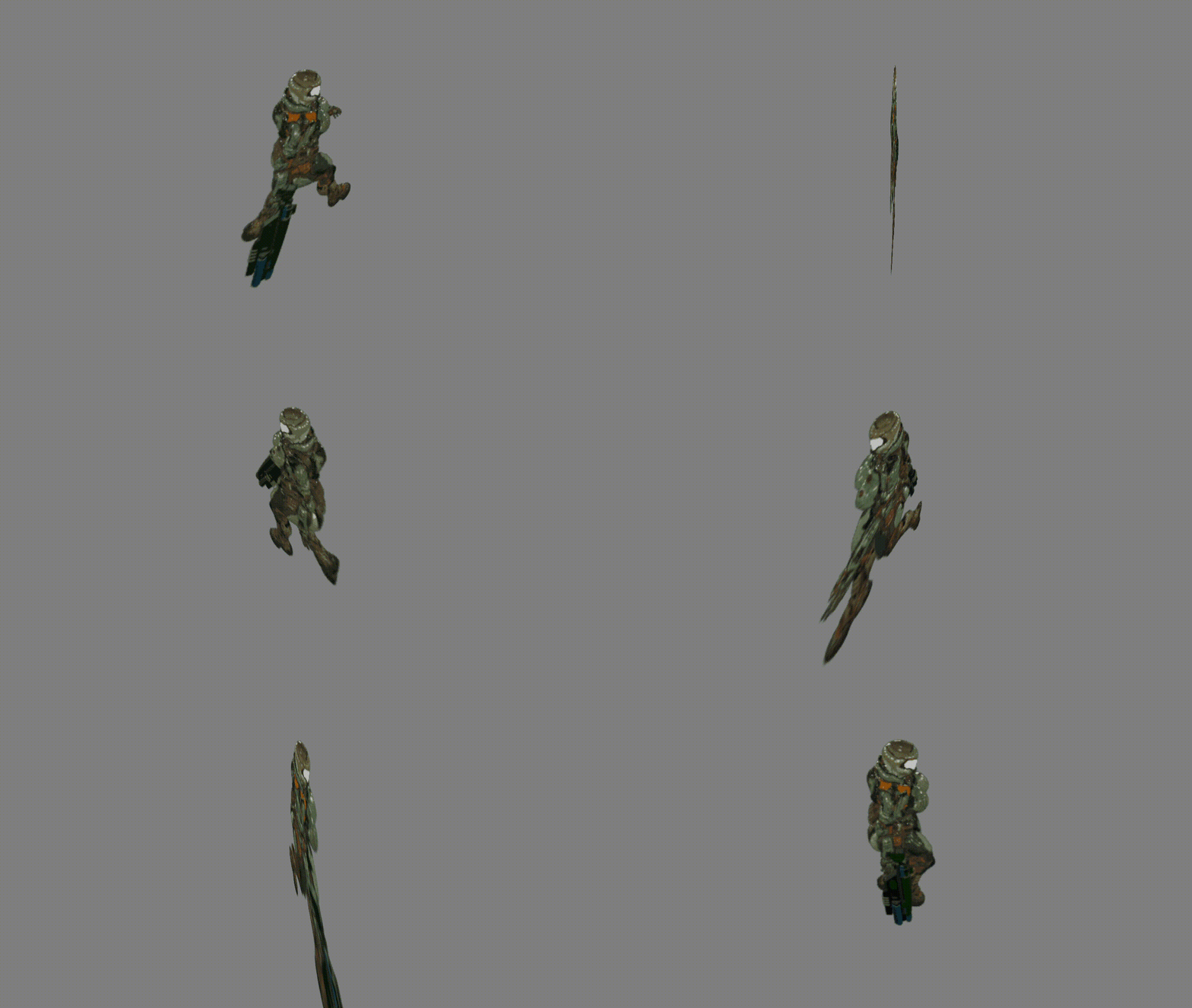
Sprite POV simulates built-in gamemaker functions to draw a 2d sprite but gives 3d projection of rotation on X and Y Axis, based on vertex buffer and matrix manipulation.
- 3D Rotation: XYZ axes
- Fov: XYZ axes, the instensity of the 3D proyection
- Back Side Sprite: If you need a different sprite for the back of your sprite
- Performance: Sprite POV doesn't have a significant impact on the hardware
By manually manipulating the vertex buffer, it was necessary to replicate Gamemaker's native functions since they become unusable.
- Scaling: XYZ axes (like image_xscale and image_yscale)
- Position: XY axes (like draw_sprite)
- Sprite Ext: Sprite front side and back side params (like draw_sprite_ext)
- Offset: XY axes (in case you need one different from the one for your sprite)
- Transform: The 4 corners of your sprite (like draw_sprite_pos)
⚡ Easy setup
You just need to create an object in your room and add Sprite POV functions to it.
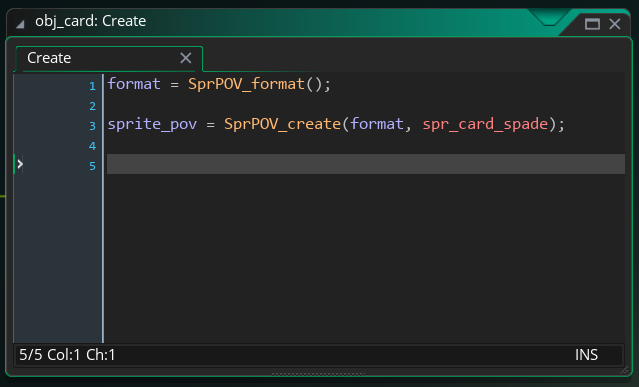
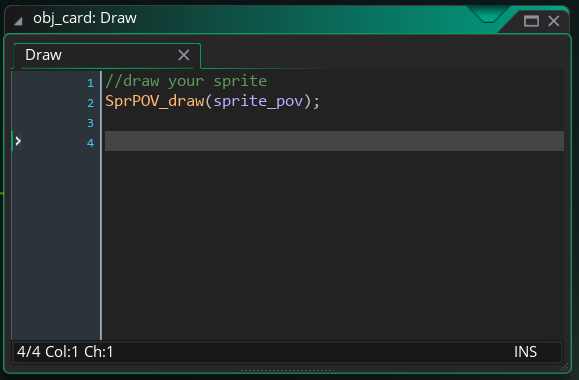
With these simple steps you would already be drawing your POV Sprite on screen, all that remains is to add the functions you need such as 3D rotation.
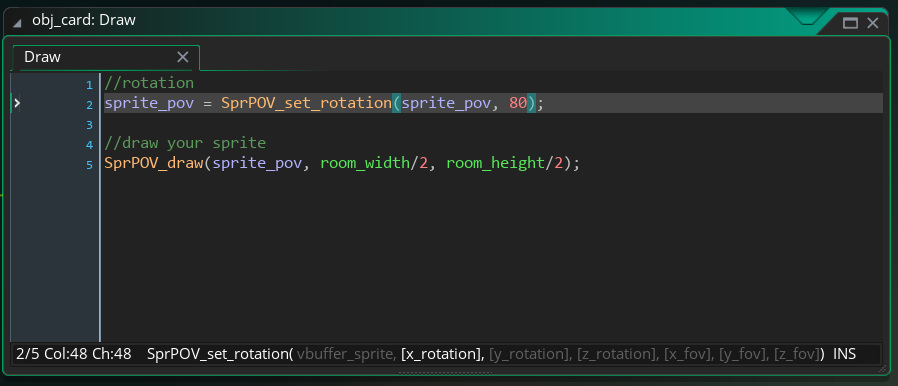
In this example you would be drawing your sprite with an 80-degree rotation on the X axis.
With a position X and Y in the middle of the room.
🧪 Live Test
This is an extra (optional) feature which will help you manipulate all the included functions of Sprite POV in real time.
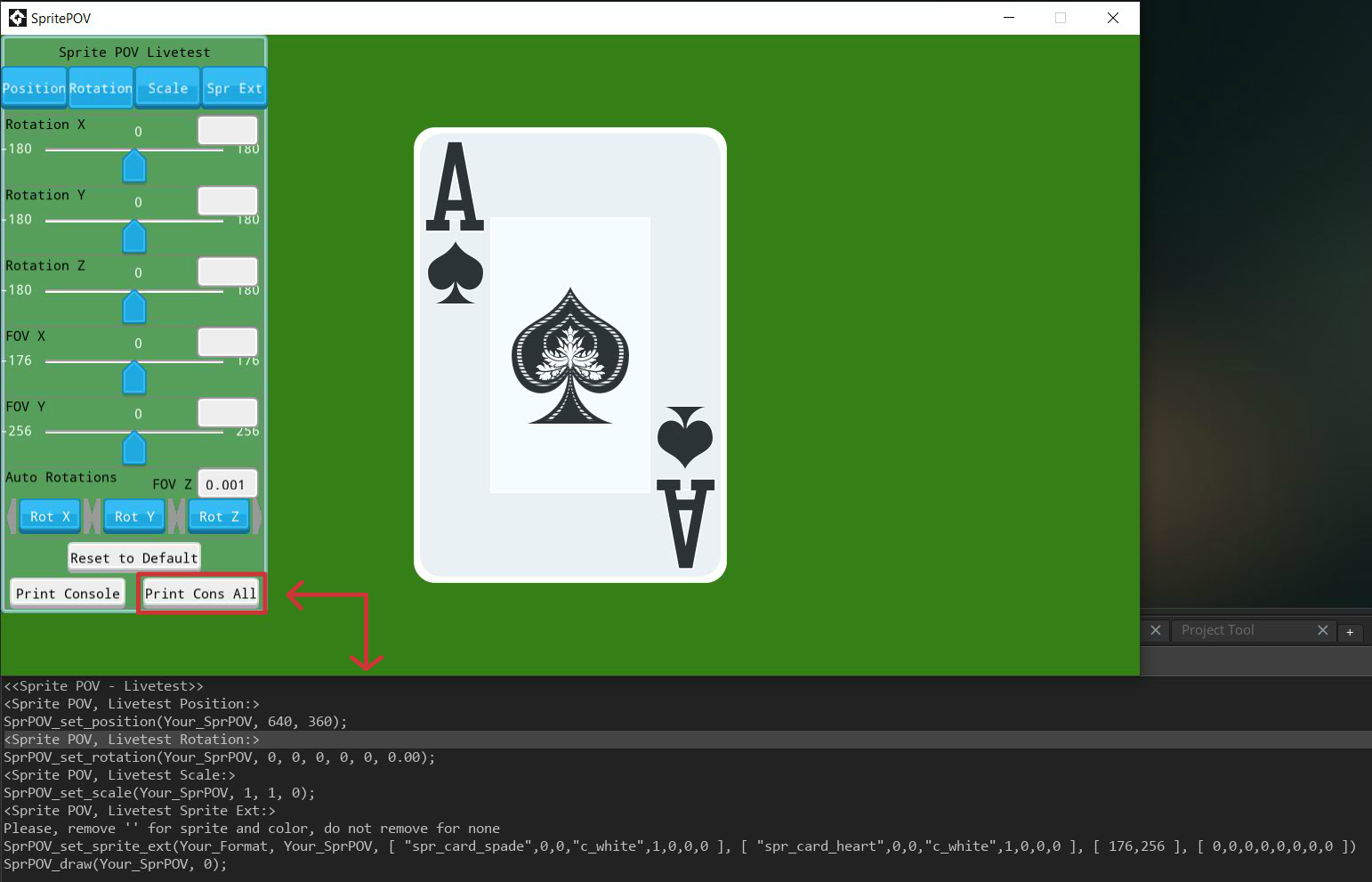
A clean and intuitive interface that, once you are satisfied with the final result of your sprite, allows you to print to the debug console to copy the code into your sprite.
📖 Full Documentation
Public documentation is included for each element with functions, parameters, detailed explanations and examples to make it as easy to understand as possible.
View the documentation here:
Sprite POV Documentation
Video Tutorial here:
What will I receive?
- Sprite POV, 1 yymps file to import into any project.
- Sprite POV + Livetest, 1 yymps file to import into any project, including a live test for real-time testing.
- 3 yyz files, sample projects for exploring the features. Includes Sprite POV Raw and Sprite POV Livetest.
By making your purchase, you agree not to redistribute, resell, or repackage the source code in any way. The license you purchased allows you to use this product in any commercial or personal project. If you share your project's source code, you must ensure that you remove this product from it before sharing it.
Credits
The assets included in the examples are not part of this product.
- Gooey (UI Library) by Manta ray
- Casino Playing Cards by moxica
- Sprites Zelda-Like by rendev
- Grass sprite by xylini
- Female Space Marine by w_k_studio
- Far-East Styled Coin by SalgueiroAzul
I'm here for you!
Feel free to write your questions or suggestions; you can do so in English or Spanish, I will answer as soon as possible.
FAQ
Q: Which version of Gamemaker is it for?
A: Sprite POV was developed in Gamemaker 2023+, however, it has not been tested on previous versions.
Thank you for your visit!
Purchase
In order to download this asset pack you must purchase it at or above the minimum price of $9.50 USD. You will get access to the following files:
Development log
- Sprite POV version 1.0.1 and Video Tutorial90 days ago

Comments
Log in with itch.io to leave a comment.
Thank you for using my assets and for credits 👍
Thank you for such a beautiful asset 👏 cheers!